Graphical User Interface
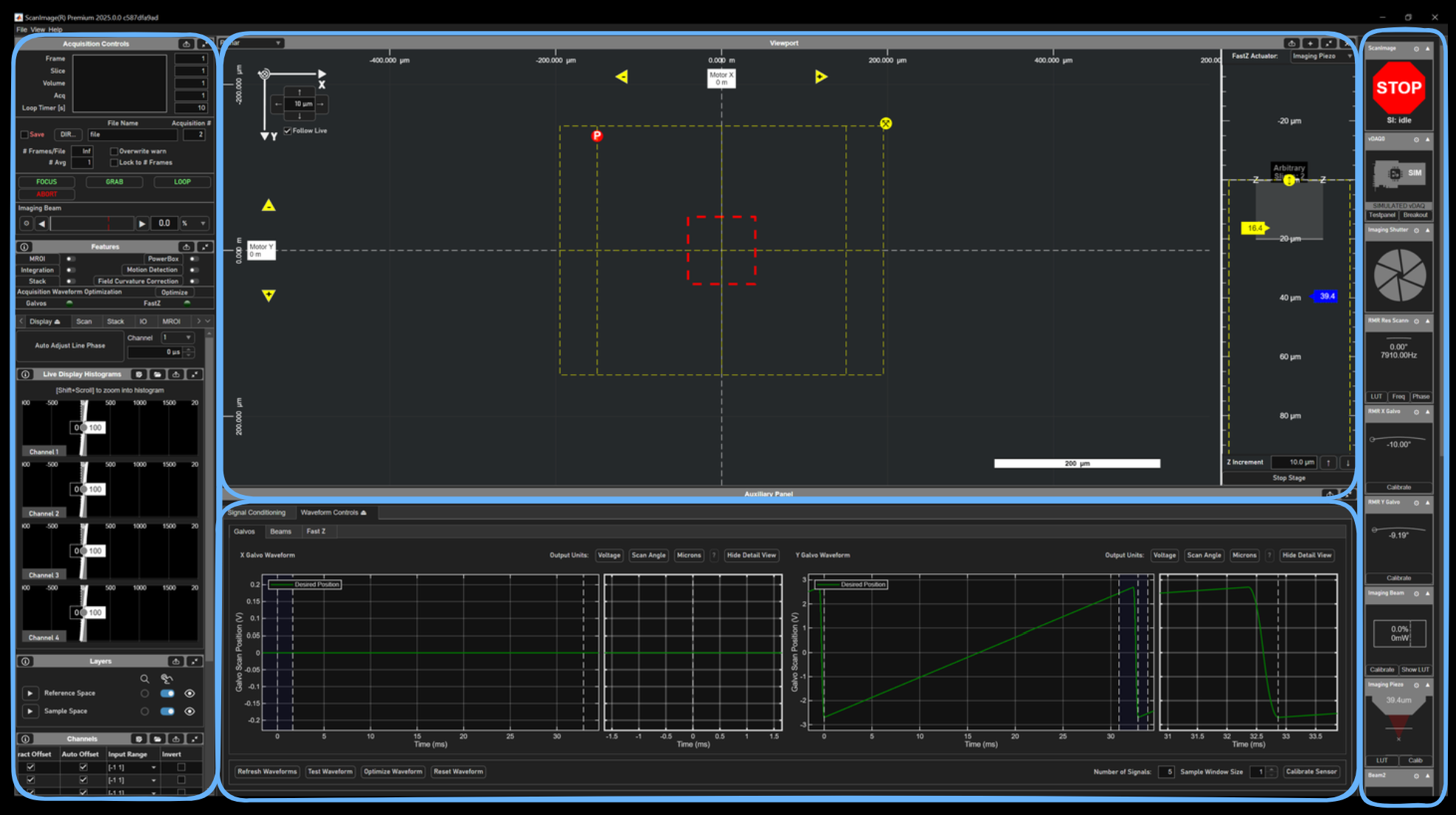
ScanImage employs a one-window interface made up of GUIs docked/undockable in/from one of three main subdivisions of the window:
Left Pane - Holds most buttons, dropdowns, checkboxes, editable text, spinners, etc affecting configuration of features.
Viewport Panel - Graphically displays spatial planning and feedback information for ScanImage features, live display of image data, and facilitates alignment.
Auxiliary Panel - Panel for auxiliary GUIs requiring lots of space
Right Pane (Widget Bar) - Widgets for devices go here. Widgets display current state and in most instances allow control of devices when not acquiring.
Each GUI has a panel heading which allows for one or more functionalities:

Show docs on GUI subject

dock

undock

expand

fold

add

delete
The left pane and auxiliary panel feature tab groups which host tabs suited to particular features of ScanImage. Tab groups help to reduce clutter by showing one tab at a time. To minimize hopping between tabs annoyingly often, controls to the backend may be duplicated in multiple tabs.
The left pane additionally features two GUIs which are always visible -
Acquisition Controls and Features.
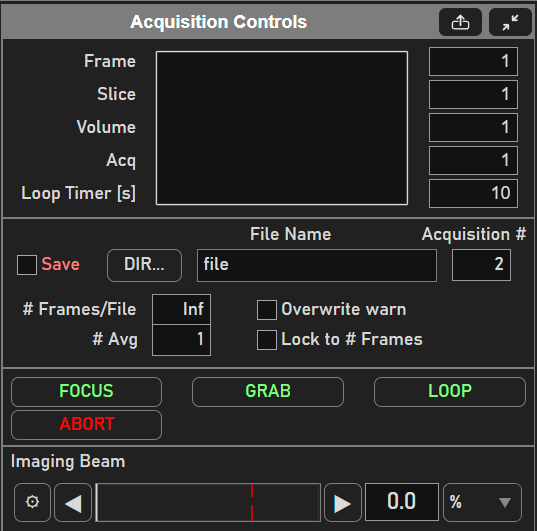
The Acquisition Controls
Contains acquisition start/stop controls, TIFF file saving parameters,
acquisition progress display, and also a beam power slider.
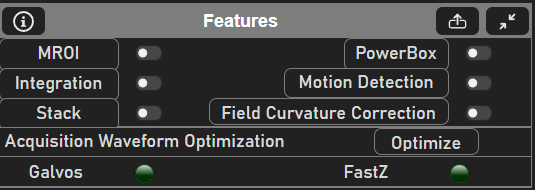
Features GUI
The Features displays which ScanImage features are currently enabled. Some features can be enabled in the midst of acquisition. Some features must be enabled and configured before acquisition. For premium users, whether or not waveform optimization has been done for the current acquisition configuration is also displayed.